PV inverter
Do you have further inverters besides your storage system, for example from an older solar system or a second roof? With the PV inverter app, each of them becomes part of your SOLIO. Its power then counts towards your generation, appears in the energy flow and is used in the control of your system.
At a glance
- Apps are available for inverters from Fronius, KACO, KOSTAL, SMA and SolarEdge.
- Other inverters can often be added with an additional meter, see Production and consumption meters.
- You can add several inverters. Each gets its own name, for example “Roof left” or “Garage”.
- You will find all values in the menu under Cockpit → Generation.
- Your installer sets them up in the App Center.
Viewing your inverters
In the Generation view
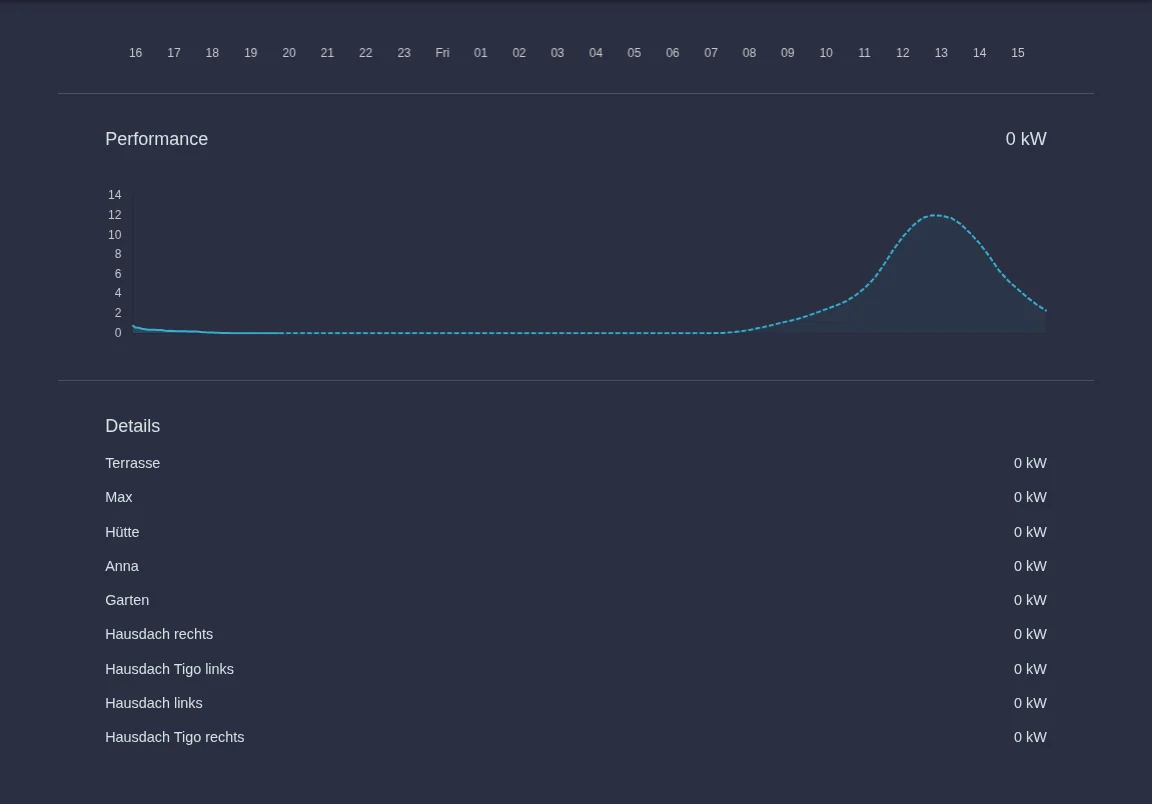
Open Cockpit → Generation in the menu. At the top you see the total power of your solar systems, and below, under Details, every inverter with its name and current power.
Phase accurate
Under Generation → Phase accurate you see the values for each of the three phases L1, L2 and L3. For every inverter, voltage, current and power are shown per phase.
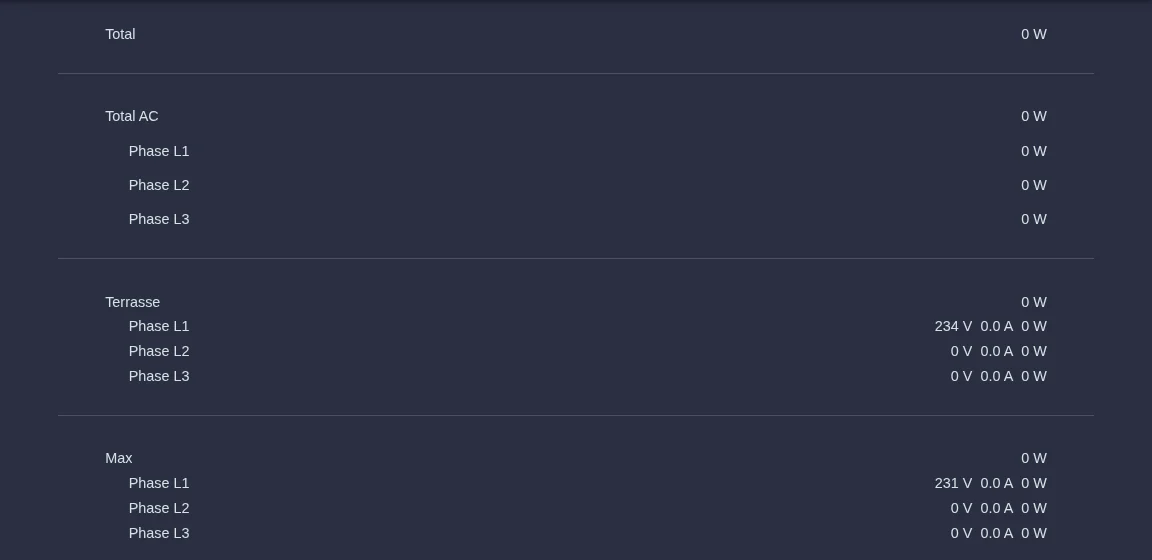
| Line | Meaning |
|---|---|
| Total | The total solar power of your system. |
| Total AC | The part supplied by inverters connected to your home's electrical system. |
| Total DC | Appears if solar modules are connected directly to the storage system. |
For technical reasons, the sum of the individual phases may differ slightly from the total.
History
Under Generation → History every inverter has its own entry. It shows how much this inverter generated over the day, and the legend shows the energy in kWh. Use the arrows at the top to move to other days. The Phase accurate entry under History shows the history of all inverters together, split by phase.
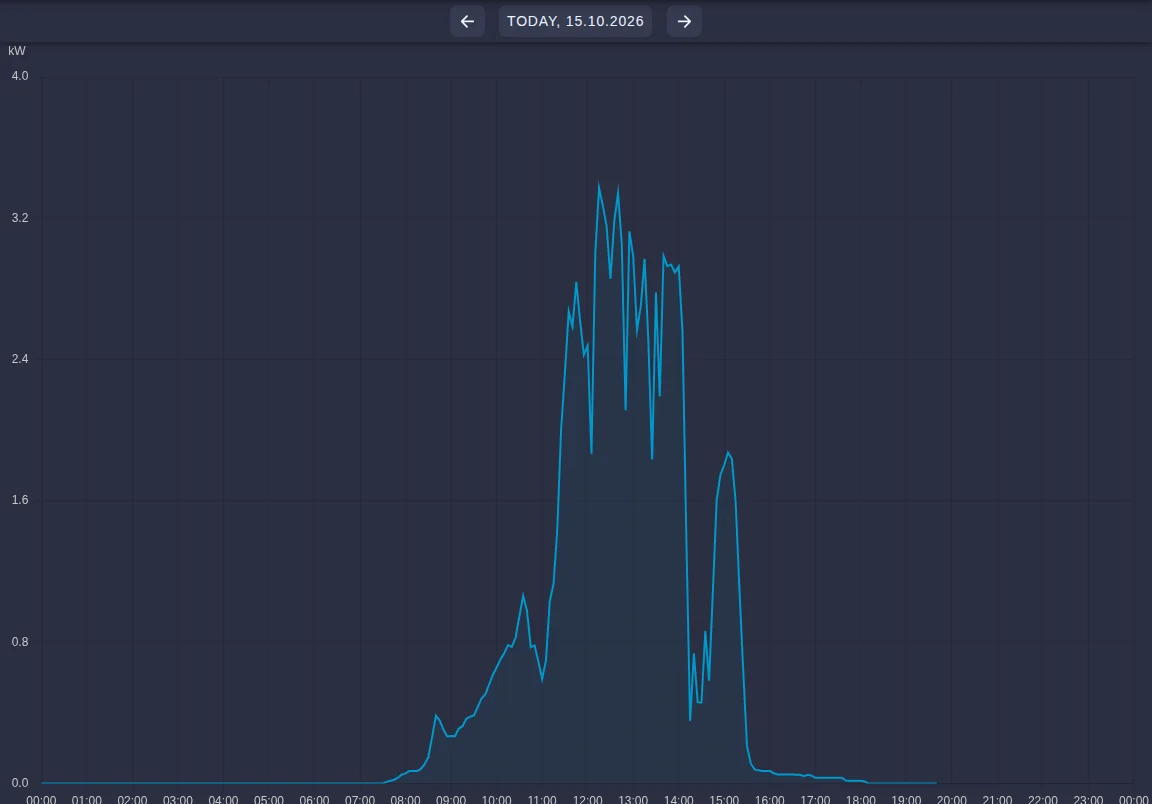
Your installer can also see the history of current and voltage. This helps with troubleshooting.
Setup
Your installer sets this up for you. In the App Center they install the app for your inverter's manufacturer, give the inverter a name and enter its connection details. For this to work:
- the inverter must be reachable via your network, i.e. connected by cable or Wi-Fi to the same router as your SOLIO,
- the data interface in the inverter must be switched on,
- the inverter should always get the same address from the router so that the connection keeps working.
The devices your SOLIO supports are listed under Supported hardware.
Frequently asked questions
Why does my inverter show 0 kW at night? Solar modules do not generate electricity without sunlight. This is normal.
An inverter suddenly shows no values. Check that the inverter is switched on and whether anything has changed in your network, for example a new router. If the problem persists, you will usually see a message in the system status. Please inform your installer.
Can I change the name of an inverter? Yes. Open the inverter's app in the App Center, click Edit app, change the name and click Update app.
Do I need internet for the connection to the inverter? No. Your SOLIO talks to the inverter directly in your home network. You only need internet to see the values in the portal or the app when you are away from home.