Production and consumption meters
An additional meter measures a single circuit in your home, for example a solar system without its own data interface, a heat pump or the workshop. Your SOLIO then shows these values individually, live and over time.
At a glance
- Each meter is set up either as a production meter or as a consumption meter.
- A production meter appears in the Generation view and counts towards the electricity you generate yourself.
- A consumption meter appears in the Consumption view as a separate entry.
- Apps are available for meters from Carlo Gavazzi, Discovergy, Eastron, Janitza, KDK, Phoenix Contact, PQ Plus, Siemens and Socomec, among others.
- Your installer fits the meter and sets it up in the App Center.
For solar systems or other generators that your SOLIO cannot read directly.
For individual consumers whose electricity use you want to know exactly.
As a production meter
If the meter measures, for example, an additional solar system, your SOLIO treats it like a separate inverter. You will find it under Cockpit → Generation:
- under Details with its name and current power,
- under Phase accurate with voltage, current and power per phase,
- under History with its own daily curve.
The PV inverter page shows what these views look like.
As a consumption meter
If the meter measures a consumer, you will find it under Cockpit → Consumption. Under Details every measured consumer is listed with its current power.
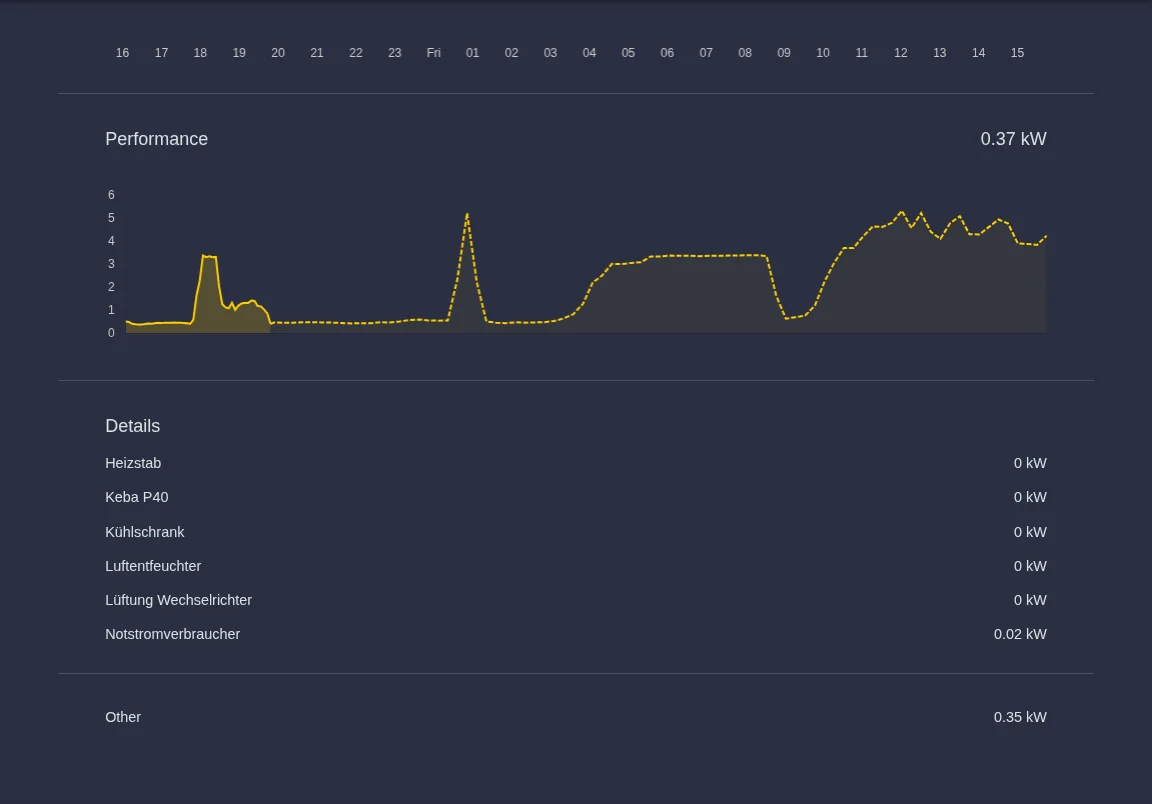
Other is the part of your consumption that no separate meter records, for example lighting, the kitchen and the television. Your SOLIO calculates it from the total consumption minus all individually measured consumers.
No single device measures the total consumption of your home. Your SOLIO calculates it from generation, grid purchase or feed-in, and the charging or discharging power of your battery. The values of the consumption meters, on the other hand, are measured directly.
Phase accurate
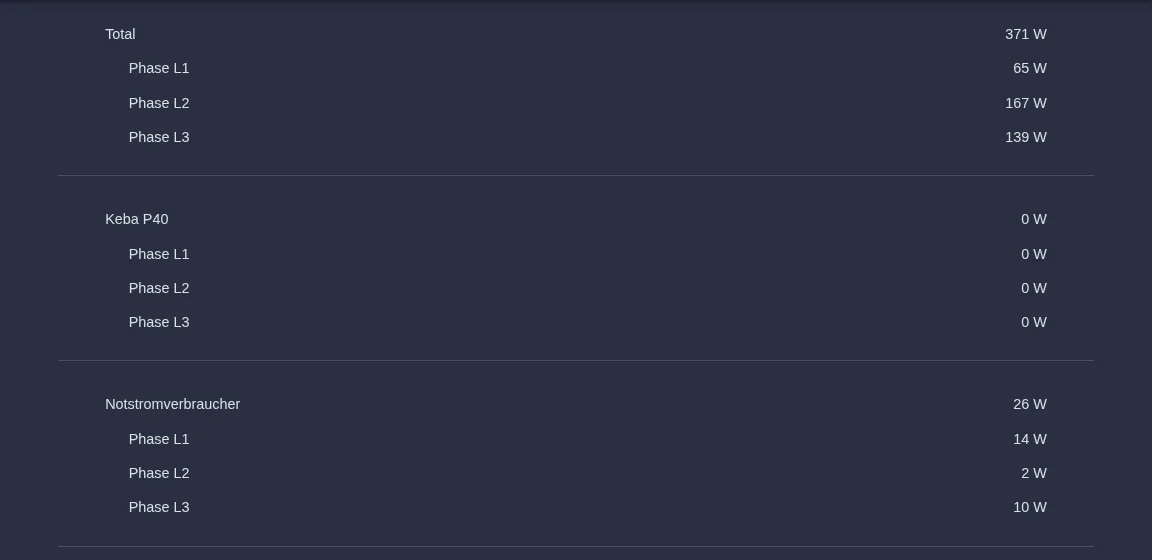
Under Consumption → Phase accurate you see the power per phase for the total consumption and for every measured consumer.
History
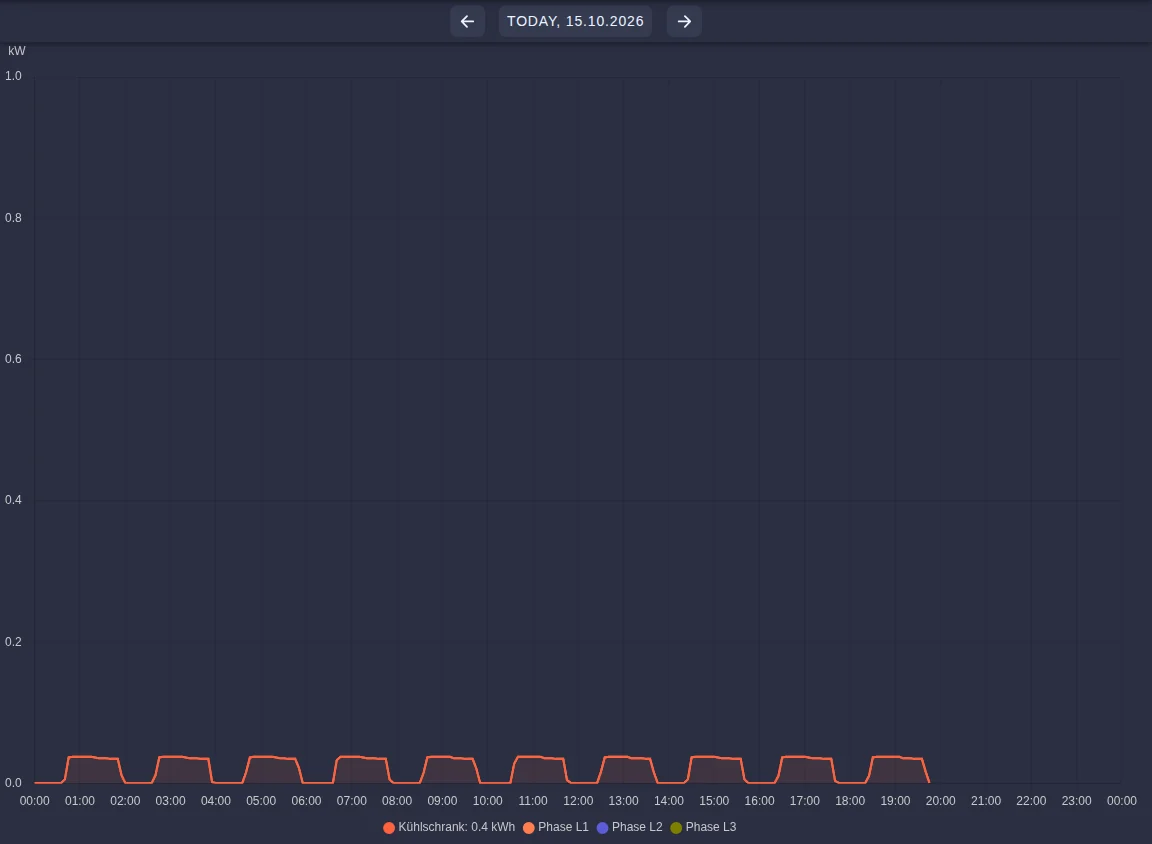
Under Consumption → History every consumption meter has its own entry. The chart shows its daily curve and the individual phases, and the legend shows the daily consumption in kWh. Use the arrows at the top to move to other days.
Setup
Your installer sets this up for you. They fit the meter in the circuit you want, connect it to your SOLIO and install the matching app in the App Center. In doing so, they decide whether it is a production or a consumption meter and give it a clear name.
The meters your SOLIO supports are listed under Supported hardware.
Frequently asked questions
Why does the sum of the phases differ slightly from the total? This has technical reasons. Small differences are normal.
Can I add several meters? Yes. Each meter gets its own app with its own name.
I would like to change the name of a meter. Open the meter's app in the App Center, click Edit app, change the name and click Update app.