REST/JSON - Read/Write Access
With the REST/JSON interface you query your SOLIO's values with simple HTTP requests, for example from a smart home hub, your own script or a spreadsheet. With write access you can also set the power of your battery.
This page is intended for technically experienced users, installers and developers. You do not need this interface for normal use of your SOLIO.
What do I need this for?
REST/JSON is the usual way for web services and programs to exchange data. The responses come in the JSON text format and can easily be processed in almost any programming language. Typical uses:
- A smart home hub displays the battery's state of charge or switches devices depending on the solar surplus.
- Your own script regularly writes readings to a database or spreadsheet.
- An external system sets the charging or discharging power of the battery (write access).
The interface only works in the local network. For access via the internet there is the Customer API.
Query values. Included as standard.
Set the power of the battery. Enabled on request.
Requirements
- The querying device is in the same network as the SOLIO and can reach its IP address directly.
- You know the IP address of the SOLIO, for example from your router's device list.
- You know the password for logging in to the SOLIO. By default this is
userfor guest access andownerfor owner access. If you have changed the passwords, your own ones apply. See Changing the password on the SOLIO.
Read access
Read access is included as standard. The REST/JSON reading app is installed in the App Center for this.
Address and login
Every value has an address made up of component and channel, for example _sum/EssSoc for the state of charge. It is queried like this:
http://<IP>/rest/channel/<component>/<channel>
For a SOLIO with the address 192.168.178.30, the request for the state of charge is therefore:
http://192.168.178.30/rest/channel/_sum/EssSoc
- Method:
GET - Login: HTTP Basic Authentication. As user name you can use
guestorowner, or any placeholder such asx; what counts is the password. - Port:
80, you do not need to specify it.
Browsers usually do not send credentials from the address bar, so you will normally get an error message there. For tests, use a tool such as curl, Python or an API client that sends the credentials as an Authorization header.
The response
{"address":"_sum/EssSoc","type":"INTEGER","accessMode":"RO","text":"","unit":"%","value":99}
| Field | Meaning |
|---|---|
address | Address of the value |
type | Data type, e.g. INTEGER |
accessMode | RO read only, RW read and write, WO write only |
unit | Unit |
value | The current value, here 99 % |
You can also use search patterns (regular expressions) for component and channel. For example, _sum/.* returns all sum values at once; the response is then a list.
Important values
In principle you can read all channels of your SOLIO. The most important sum values:
| Address | Description | Unit |
|---|---|---|
_sum/State | System state (0: Ok, 1: Info, 2: Warning, 3: Fault) | |
_sum/EssSoc | Battery state of charge | % |
_sum/EssActivePower | Battery power, negative = charging, positive = discharging | W |
_sum/GridActivePower | Grid power, negative = feed-in, positive = purchase | W |
_sum/ProductionActivePower | Total generation | W |
_sum/ProductionAcActivePower | Generation AC | W |
_sum/ProductionDcActualPower | Generation DC | W |
_sum/ConsumptionActivePower | Consumption | W |
_sum/EssActiveChargeEnergy | Battery charge energy | Wh |
_sum/EssActiveDischargeEnergy | Battery discharge energy | Wh |
_sum/GridBuyActiveEnergy | Grid purchase energy | Wh |
_sum/GridSellActiveEnergy | Grid feed-in energy | Wh |
_sum/ProductionActiveEnergy | Generation energy | Wh |
_sum/ConsumptionActiveEnergy | Consumption energy | Wh |
_sum/EssActivePowerL1 … L3 | Battery power per phase | W |
_sum/GridActivePowerL1 … L3 | Grid power per phase | W |
_sum/ProductionAcActivePowerL1 … L3 | Generation AC per phase | W |
_sum/ConsumptionActivePowerL1 … L3 | Consumption per phase | W |
Example with curl
curl is already installed on Windows 10 and 11, macOS and Linux. The command is the same everywhere:
curl -u x:user http://192.168.178.30/rest/channel/_sum/EssSoc
The response appears directly in the window. The state of charge is in the value field.
Example with Python
Using the requests library:
import requests

url = "http://192.168.178.30/rest/channel/_sum/EssSoc"

response = requests.get(url, auth=("x", "user"))
response.raise_for_status()

print(response.json()["value"])  # e.g. 99
Example with an API client
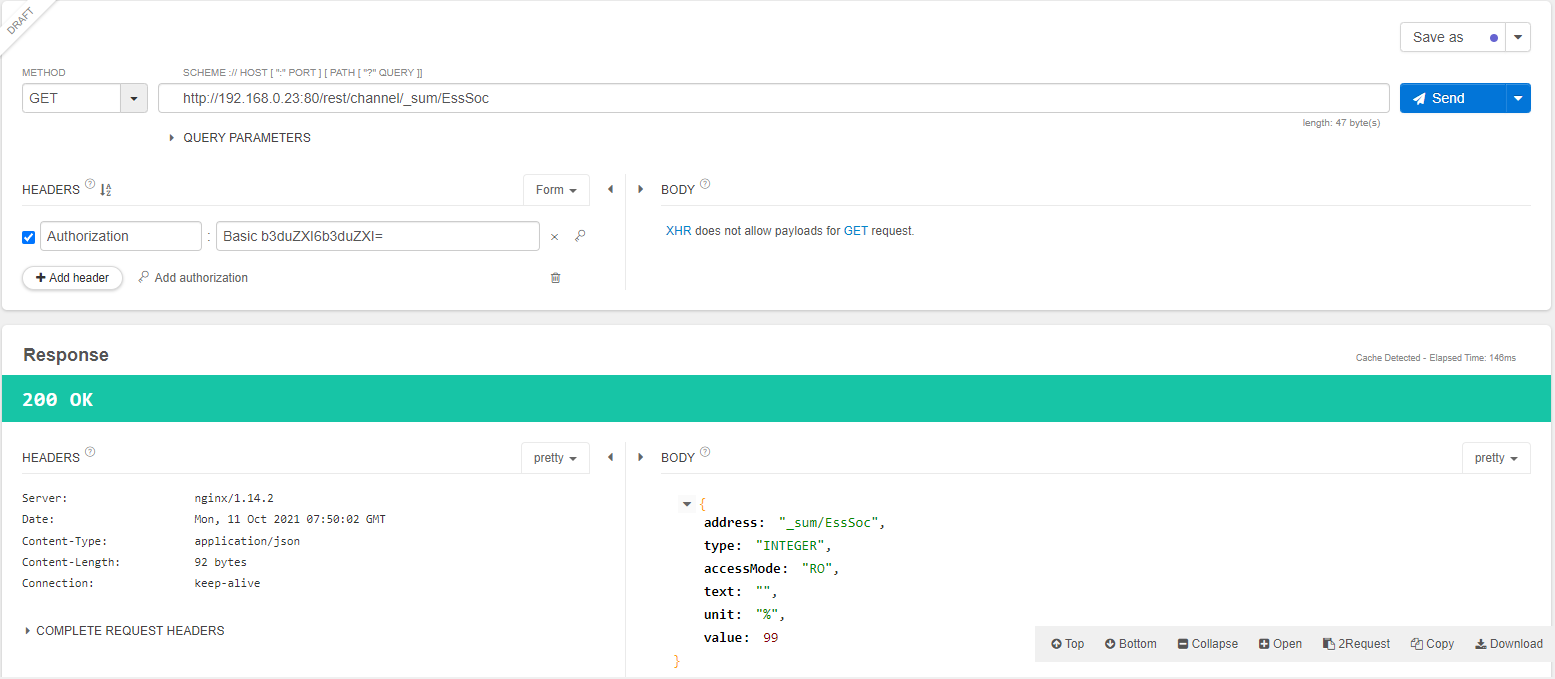
In an API client such as the Chrome plug-in Talend API Tester, enter the address and add an Authorization header with Basic Authentication.
Write access
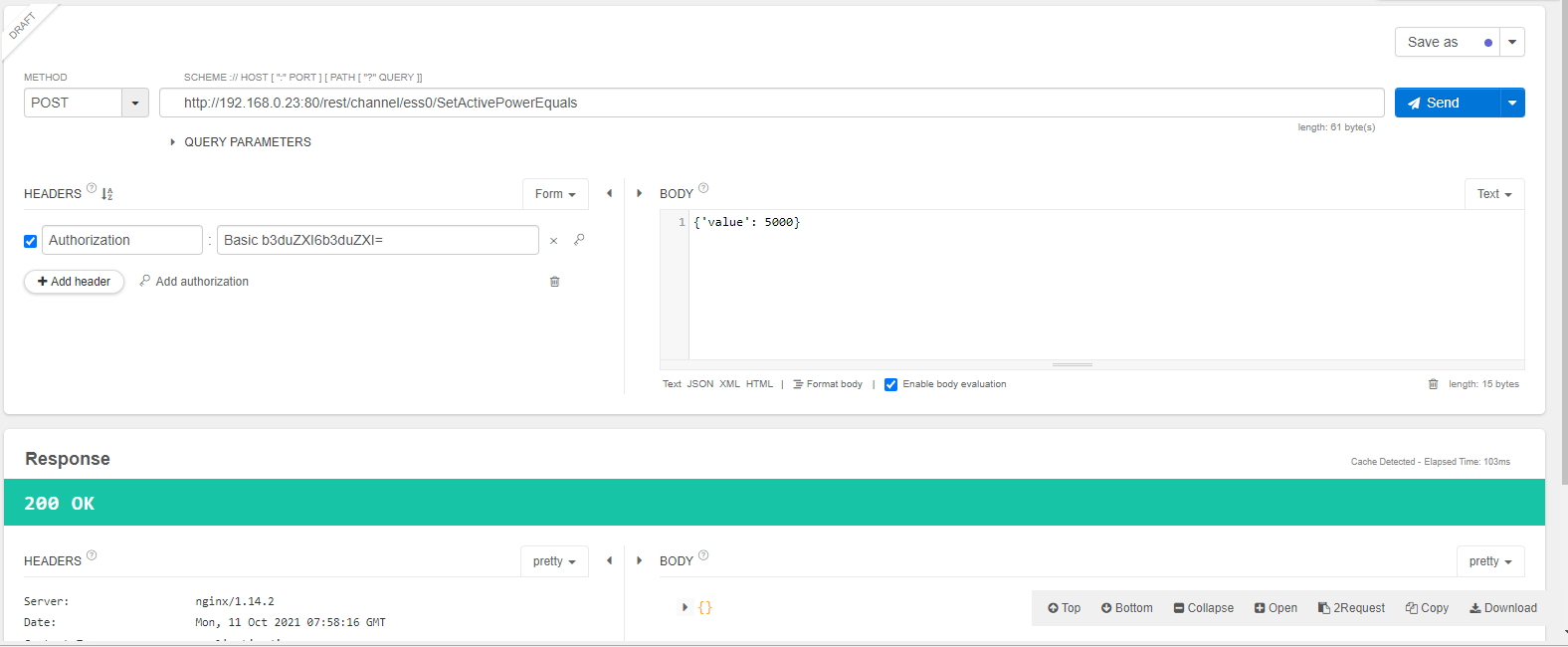
With write access you set the active and reactive power of the battery. It is not included as standard but can be enabled at any time with the REST/JSON write access app. Please contact us.
- Method:
POSTto the same address as for reading, for examplehttp://<IP>/rest/channel/ess0/SetActivePowerEquals - Body: JSON with the field
value, for example{"value": 5000} - Login: at least with the owner password (
ownerby default). Writing is not possible with guest access. - Sign: negative values charge the battery, positive values discharge it.
Timeout
A setpoint only applies for the duration of the timeout, 60 seconds by default. A new value replaces the old one. If no new setpoint arrives within this time, your SOLIO's normal control takes over again, for example self-consumption optimisation. So send the value again regularly.
Writable channels
| Address | Meaning | Unit |
|---|---|---|
ess0/SetActivePowerEquals | Active power setpoint | W |
ess0/SetReactivePowerEquals | Reactive power setpoint | var |
ess0/SetActivePowerLessOrEquals | Maximum discharge power setpoint | W |
ess0/SetReactivePowerLessOrEquals | Maximum reactive power setpoint | var |
ess0/SetActivePowerGreaterOrEquals | Maximum charge power setpoint | W |
ess0/SetReactivePowerGreaterOrEquals | Minimum reactive power setpoint | var |
ess0 stands for the battery or battery cluster of your system. The battery's limits still apply, so the actual power may differ from the setpoint.
Example: discharging at 5 kW with Python
import requests

url = "http://192.168.178.30/rest/channel/ess0/SetActivePowerEquals"

response = requests.post(url, json={"value": 5000}, auth=("x", "owner"))
response.raise_for_status()
The same with curl:
curl -u x:owner -H "Content-Type: application/json" -d "{\"value\": 5000}" http://192.168.178.30/rest/channel/ess0/SetActivePowerEquals
You can check whether the setpoint takes effect in the portal under Storage system or with a GET request on _sum/EssActivePower.
Anyone who knows the owner password and can reach your home network can control the battery. Change the default password and never open the interface to the internet.