Energy Reports
With energy reports you regularly receive a short summary of your system as a PDF by email. You can see at a glance how much electricity you generated and used, without opening the portal.
The essentials
- Choose daily, weekly or monthly, or several at once.
- The report is sent as a PDF to the email address you use to log in to the portal.
- It contains generation, consumption, grid and storage in kWh, plus your self-sufficiency and self-consumption.
- As an Owner, you can switch reports on in the portal or the app. The feature is not available when you log in directly to the SOLIO on your home network.
How to switch reports on
Log in to the portal, select your system and open Profile → System Settings.
Click Open on the Energy Reports card.
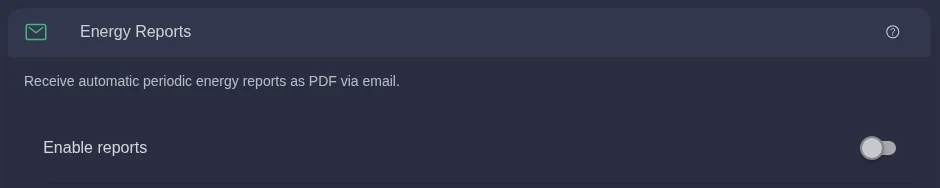
Switch on Enable reports. The Report period field appears, set to Daily by default.
Click Report period and tick Daily, Weekly and/or Monthly.
Click Save. The message “Report settings saved” confirms that everything worked.

The Save button only appears once you have changed something.
When does each report arrive?
Reports are sent automatically in the morning and always cover a completed period.
| Report | What it covers | When it arrives |
|---|---|---|
| Daily | The previous day | Every morning |
| Weekly | The previous week, Monday to Sunday | Monday morning |
| Monthly | The previous month | On the morning of the 1st of each month |
You receive your first report at the next regular date, for example the next morning, the next Monday or the first day of the next month.
What is in the report?
The top of the PDF shows the type of report (daily, weekly or monthly), the number of your system and the period covered. Below that are two sections.
The PDF report is currently only available in German. The labels are translated in the tables below.
Energy overview
| Value in the report | Meaning |
|---|---|
| Erzeugung (generation) | Electricity your system generated |
| Verbrauch (consumption) | Electricity your home used |
| Netzbezug (mains supply) | Electricity you drew from the grid |
| Netzeinspeisung (grid feed-in) | Electricity you fed into the grid |
| Speicher Laden (storage charging) | Electricity that went into your storage system |
| Speicher Entladen (storage discharging) | Electricity your storage system released again |
All values are shown in kWh (kilowatt hours), i.e. the amount of electricity over the selected period.
Key figures
- Autarkie (self-sufficiency): the share of your consumption that you covered yourself. At 80 %, only 20 % of your electricity came from the grid.
- Eigenverbrauch (self-consumption): the share of the electricity you generated that you used yourself, in your home or via your storage system. At 70 %, 30 % went into the grid.
Both values are explained in more detail under Self-sufficiency and Self-consumption.
The report is deliberately short. Daily curves and values for any period are available in the history, where you can also download your data as an Excel file.
Frequently asked questions
Which email address does the report go to? To the email address you use to log in to the portal. You can find it on your user page under Login.
I can't see Energy Reports in the settings. Why? Only people with the Owner role can set up reports, and only in the portal or the app. If you have the Guest role, or you are logged in directly to the SOLIO on your home network, the card is not shown.
Can other people in my household receive a report too? Yes. Anyone with their own account and the Owner role can switch reports on in their own account. The reports are then sent to their email address.
My report did not arrive. What can I do? First check your spam folder. If your SOLIO did not send any data to the portal during the report period, for example because the internet connection was down for a long time, no report is sent for that period.
How do I switch the reports off again? Switch off Enable reports and click Save. To cancel just one period, untick it under Report period and save.