EEBUS heat pump
Many modern heat pumps speak EEBUS, a common language for energy devices in the home. Your SOLIO uses it to connect directly to the heat pump over your home network, without any additional control cables.
The essentials
- The connection runs over your network (LAN or Wi-Fi). Relays or control cables as with SG-Ready are not needed.
- Your SOLIO shows how much power the heat pump is drawing right now and records the history.
- If your heat pump supports it, your SOLIO can also give it a power limit.
- So that both devices trust each other, you pair them once.
Which heat pumps are suitable?
EEBUS is a standard shared by many manufacturers. Heat pumps with an EEBUS interface are available, for example, from Vaillant, Viessmann and Stiebel Eltron, as well as from other manufacturers.
Whether and how well EEBUS works depends on the model and the firmware version of your heat pump. We cannot guarantee every model. If in doubt, ask your installer or check the documentation of your heat pump.
What you see in the portal
Your EEBUS heat pump appears as a consumer of its own:
- In the energy flow in the cockpit as a small circle with its current power.
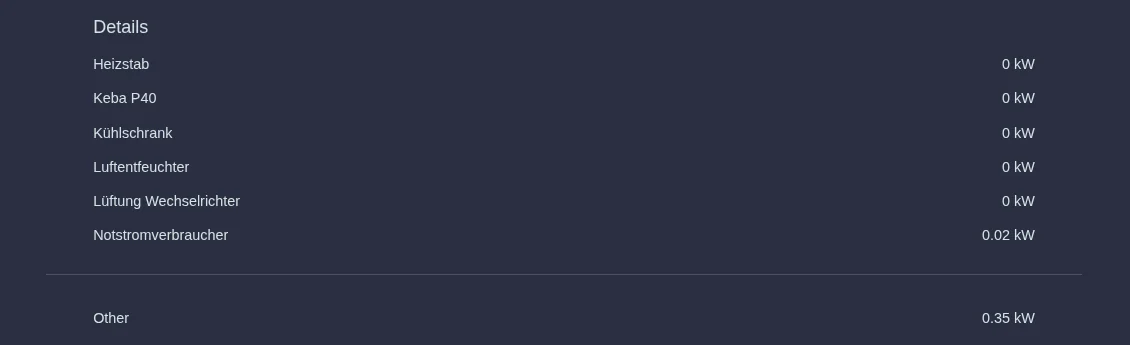
- In the Consumption area under Details with its current power.
- In the history under Cockpit → Consumption → History, with power and energy over the selected period.
You can read more about the Consumption area under The areas in detail.
What your SOLIO can control
| Display only | With control | |
|---|---|---|
| Current power and history | ✓ | ✓ |
| Send a power limit to the heat pump | – | ✓, if the heat pump supports it |
Your installer decides during setup whether your heat pump is only displayed or also controlled. For this, the heat pump also reports its lowest and highest possible power to your SOLIO.
Setup and pairing
Your installer activates the app for the EEBUS heat pump in the App Center and enters the network address of the heat pump.
The EEBUS function must be enabled on the heat pump. The manual of your heat pump explains how.
In the EEBUS settings of your heat pump, confirm the connection to the SOLIO. Only then do the two devices exchange data.
After pairing, the heat pump appears in the energy flow and in the Consumption area.
EEBUS or SG-Ready?
| EEBUS | SG-Ready | |
|---|---|---|
| Connection | over the network | via two relay contacts |
| Additional hardware | none | SOLIO relay board |
| Power visible | yes, the heat pump reports it itself | only with its own meter |
| Control | power limit, continuous | four fixed operating states |
Frequently asked questions
The heat pump does not appear or shows no values. What can I do? Check that the heat pump is switched on and connected to your network. The SOLIO and the heat pump must be in the same home network. Is EEBUS switched on at the heat pump and has the connection to the SOLIO been confirmed? If that does not help, contact your installer.
Where can I find out more about EEBUS? On the website of the EEBUS initiative: eebus.org.