SG-Ready heat pump
Your SOLIO sends your heat pump a signal as soon as there is enough solar power left over. The heat pump then heats a little more and stores the heat in your home or in a tank. Later it needs less electricity from the grid for this.
The essentials
- "SG-Ready" (Smart Grid Ready) is a standard that lets heat pumps receive a signal from outside. Your SOLIO uses four operating states for this.
- In automatic mode, your SOLIO chooses the operating state itself, depending on solar surplus, grid purchase and the state of charge of your storage system.
- You can also choose a fixed operating state or use the Schedule to set which state applies when.
- The History shows when each operating state was active.
The four operating states
| Operating state | Shown as status | What the heat pump does |
|---|---|---|
| Lock | Lock | The heat pump limits its power consumption to 0 kW or 4.2 kW, depending on its own settings. |
| Normal operation | Normal | The heat pump works quite normally, according to demand. |
| Switch-on recommendation | Recommendation | The heat pump increases its output and makes more use of the available power for heat, for example with a higher target temperature. |
| Switch-on command | Command | The heat pump heats at the highest level and stores as much heat as possible. |
How strongly your heat pump responds to each state is set on the heat pump itself, by you or your installer. This differs from manufacturer to manufacturer.
What it looks like
You find your heat pump in the menu under Cockpit → Consumption, with the name your installer gave it. The heart icon adds it to your Favorites.
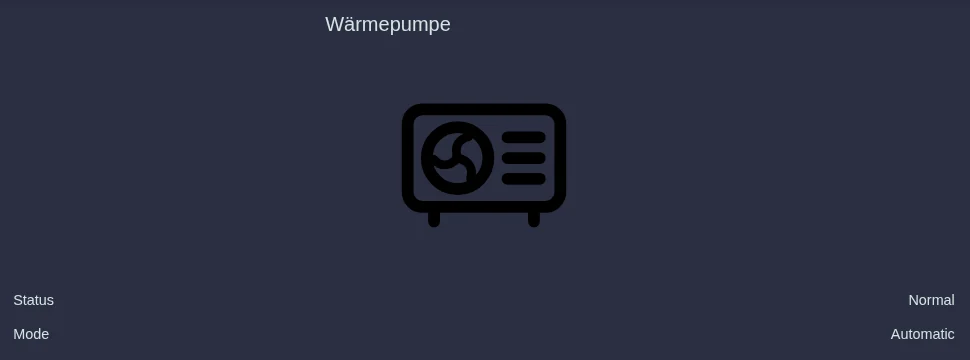
- Status: the operating state your SOLIO is currently signalling to the heat pump.
- Mode: Automatic, Manual (fixed operating state) or Time schedule while an entry from the schedule applies.
- Heating output: also appears if your heat pump has its own meter.
Below the heat pump, the menu offers History, Schedule, Basic Mode and Settings.
Choosing the basic mode
The Basic Mode applies whenever no entry from the schedule is active. For most households, Automatic is the best choice.
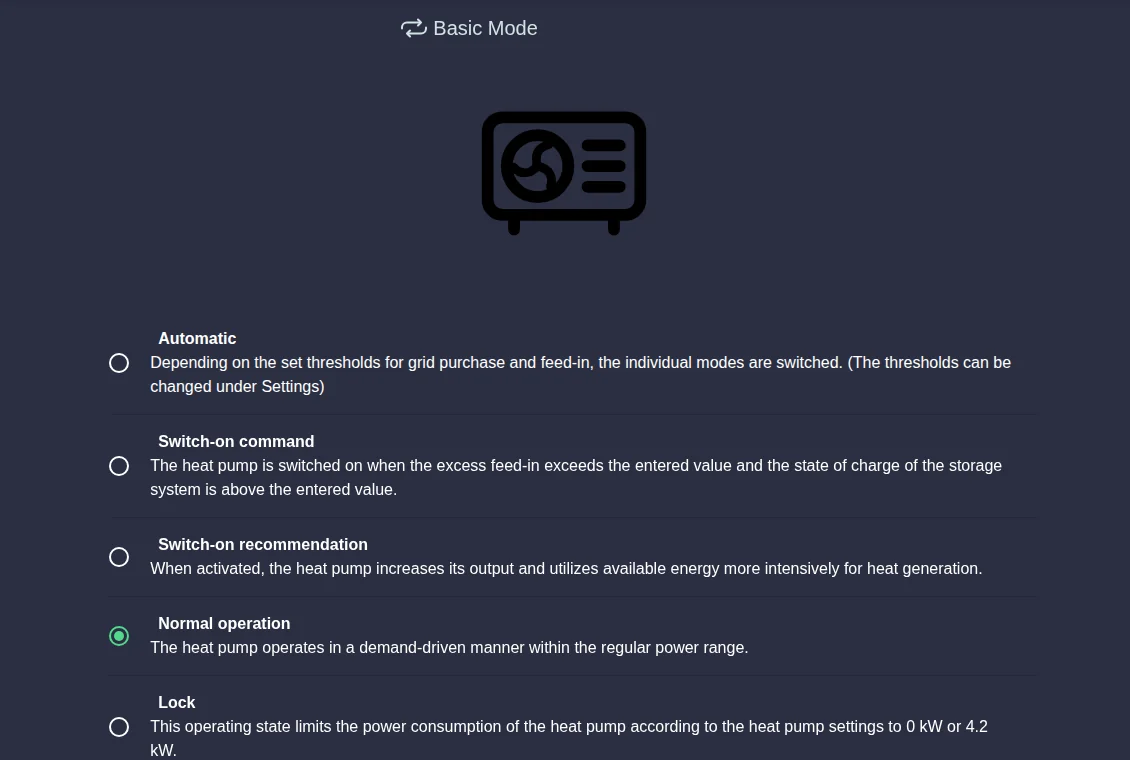
In the menu, click Basic Mode below your heat pump.
Choose Automatic or a fixed operating state: Switch-on command, Switch-on recommendation, Normal operation or Lock.
Click the round button with the tick that appears at the bottom.
If you do not see Schedule and Basic Mode, your SOLIO is still running an older version. In that case, choose between Manual (with a fixed Operating status) and Automatic under Settings.
Setting up automatic mode
Under Settings you define when your SOLIO chooses which state in automatic mode. Each state is switched on or off with the toggle on the right. If none of the conditions is met, the heat pump runs in Normal operation.
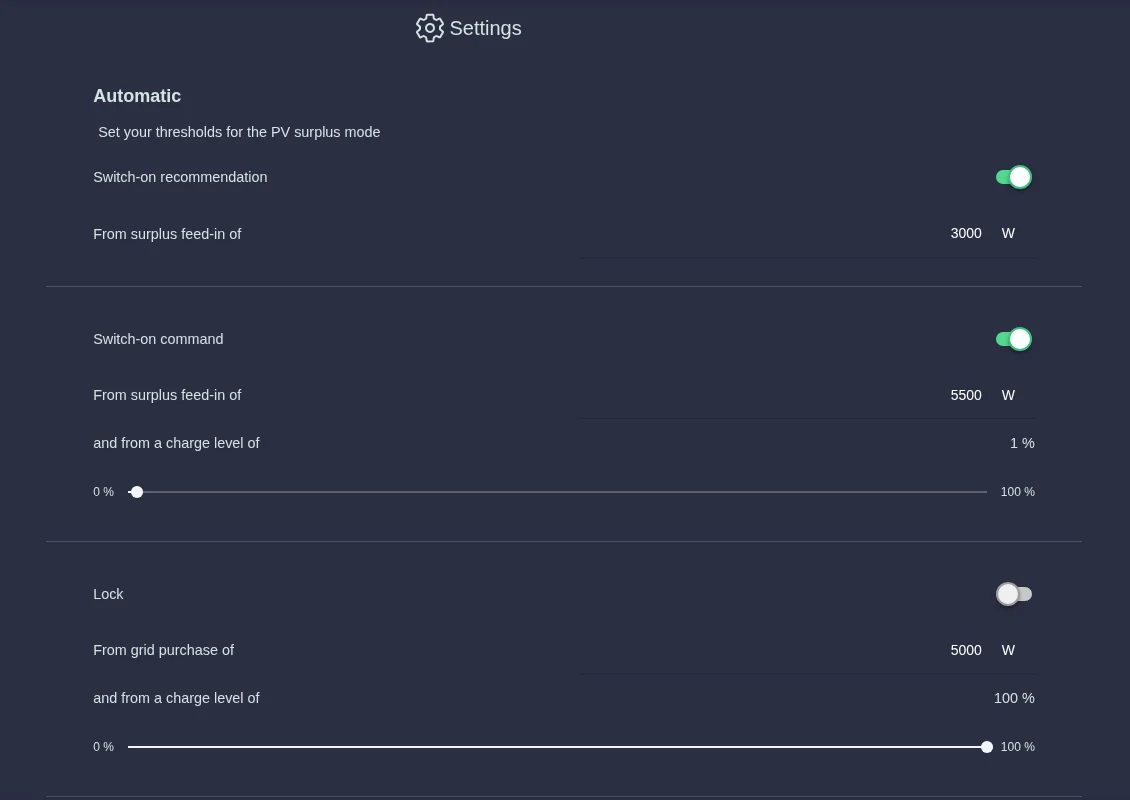
| Setting | Meaning |
|---|---|
| Switch-on recommendation – "From surplus feed-in of" | If more than this value flows into the grid, your SOLIO gives the switch-on recommendation. |
| Switch-on command – "From surplus feed-in of" | If more than this value flows into the grid, your SOLIO gives the switch-on command … |
| Switch-on command – "and from a charge level of" | … but only if your storage system is charged at least this far. |
| Lock – "From grid purchase of" | If you draw more than this value from the grid, your SOLIO locks the heat pump … |
| Lock – "and from a charge level of" | … but only while your storage system is below this state of charge. |
| Minimum switching time | The number of seconds your SOLIO waits at least after a change before changing the state again. This prevents constant switching back and forth. |
In the menu, click Settings below your heat pump.
Switch on the states you want and enter the values. Set the state of charge with the slider.
Click the round button with the tick that appears at the bottom.
Set the surplus threshold at least as high as the power of your heat pump. If it is lower, the heat pump may keep switching between two states. For the Switch-on command, it is best to choose a higher value than for the Switch-on recommendation.
If an outdoor temperature sensor is connected, you also see External temperature sensor with a minimum temperature each for the morning and the afternoon. Automatic mode then also takes the outdoor temperature into account. It is best to discuss with your installer which values suit your home.
Controlling with the schedule
With the Schedule you set a different mode than the basic mode for certain times. An example: every day from 12:00 to 14:00 Switch-on recommendation, so that the heat pump specifically prepares hot water at midday.
In the menu, click Schedule below your heat pump and then Add.
Under Mode, choose what should apply during this period: Automatic or a fixed operating state.
Choose Daily, Weekly (with weekdays) or Monthly and enter Start and End. Times can be set in quarter hours.
Click Accept. While the entry applies, the heat pump shows "Time schedule" as its mode.
The history
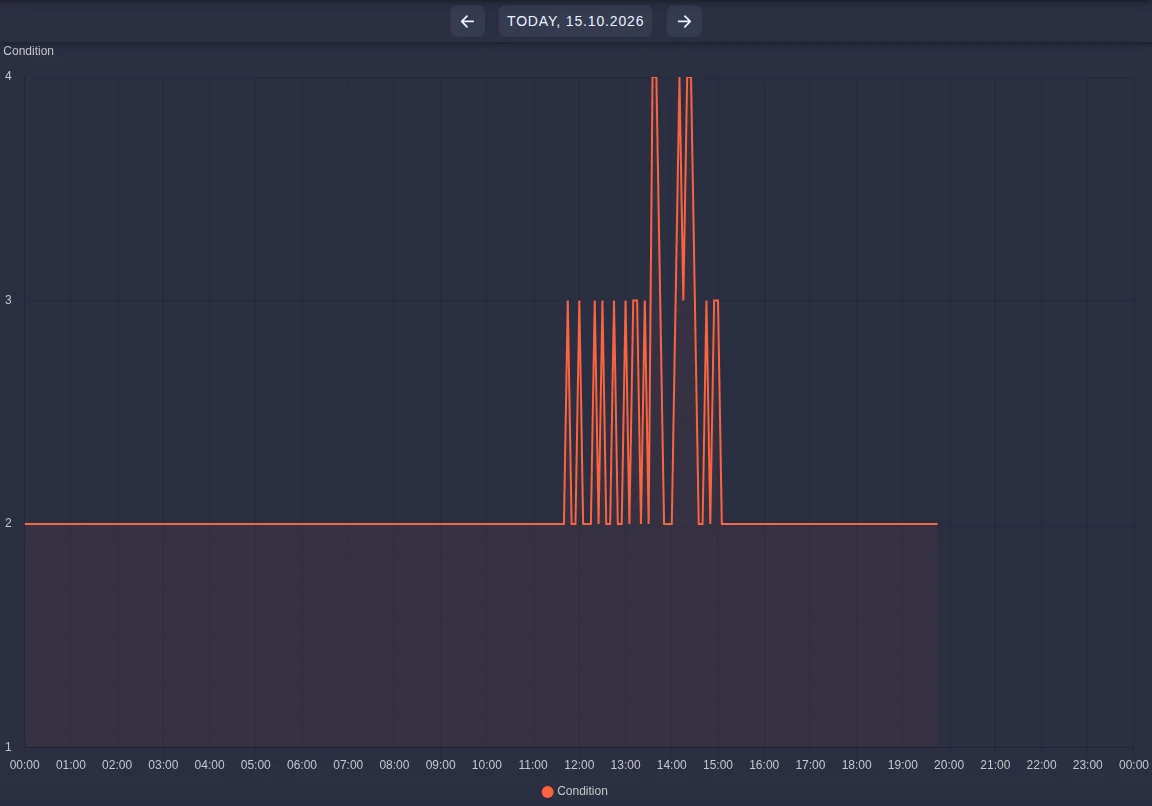
Under History you see which operating state was active when. The numbers in the chart stand for the states: 1 Lock, 2 Normal operation, 3 Switch-on recommendation, 4 Switch-on command.
What you need
Your installer connects the heat pump and activates the '"SG-Ready" heat pump' app in the App Center.
- a heat pump with SG-Ready certification
- a SOLIO relay board with two free relay contacts (accessory, not included in the scope of delivery)
- optionally a meter for the heat pump, so that you also see its Heating output
Manufacturers implement the SG-Ready inputs differently. Your installer therefore wires the relays to suit your model.
Frequently asked questions
My hot water heat pump has only one contact. Does it still work? Yes. One contact can switch two states. Your installer then sets up, for example, Normal operation and Switch-on recommendation, or Normal operation and Switch-on command. For the heat pump both are the same: when there is surplus it receives the signal and, for example, raises the hot water temperature. The only difference is in automatic mode: with the switch-on command you can also set a minimum state of charge for your storage system.
Why does the heat pump not respond immediately? After every change, your SOLIO waits for the Minimum switching time. Many heat pumps also stay in the new state for a minimum time after a signal. This protects the compressor.
Is my heat pump forced on by the switch-on command? The switch-on command is a binding start signal. However, the heat pump carries it out within the settings stored on the heat pump itself.