Fronius Ohmpilot
The Fronius Ohmpilot controls a heating element continuously and so turns surplus solar power into hot water. Your SOLIO shows you when and with how much power it is heating, together with all the other values of your system.
The essentials
- The Ohmpilot controls the power of the heating element itself, continuously from 0 to 100 % (up to 9 kW).
- Your SOLIO reads the values of the Ohmpilot over your home network and shows them in the portal and in the app.
- Your SOLIO does not interfere with the Ohmpilot's control. You continue to make settings such as temperatures on the Ohmpilot or via the Fronius interface.
What you see in the portal
The Ohmpilot appears as a consumer of its own:
- In the energy flow in the cockpit as a small circle with its current heating power.
- In the Consumption area under Details with its current power.
- In the history under Cockpit → Consumption → History, with power and energy over the selected period. This shows you, for example, how much solar power went into your hot water on a given day.
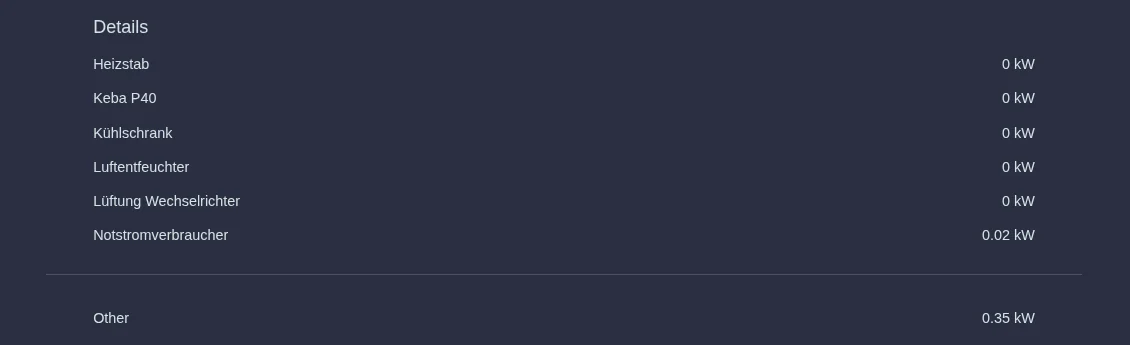
You can read more about the Consumption area under The areas in detail.
Ohmpilot or heating element with power levels?
| Fronius Ohmpilot | Heating element with power levels | |
|---|---|---|
| Control | continuous, by the Ohmpilot itself | three levels, by your SOLIO |
| Adapting to the surplus | very fine | in steps |
| Operation in the portal | display only | mode, level and minimum heating time |
What you need
Your installer sets this up:
- a Fronius Ohmpilot in the same network as your SOLIO
- the Solar API interface switched on at the Fronius device; your SOLIO reads the values through it
- the app for the Fronius Ohmpilot in the App Center
The Fronius Solar API can be reached without a password. Make sure that your home network is not freely accessible from outside. With a typical home router, this is the case by default.
Frequently asked questions
The Ohmpilot no longer shows any values. What can I do? Check that the Ohmpilot and the Fronius device are switched on and connected to your network. If the network address has changed, for example after replacing your router, your installer needs to update it in the SOLIO. If the Ohmpilot delivers no data, your SOLIO deliberately shows no values rather than outdated ones.
Can I switch the Ohmpilot on and off via my SOLIO? No. Your SOLIO only displays the values. The Ohmpilot controls itself.
Why is the Ohmpilot not heating although the sun is shining? The Ohmpilot heats with surplus, that is, with power that your home and your storage system do not need at the moment. It also stops as soon as the water has reached the set temperature.
Why is the Ohmpilot heating although there is no surplus? Functions such as boost, legionella protection or a minimum temperature can be set on the Ohmpilot. It then heats even without surplus. You make these settings on the Ohmpilot, not in the SOLIO.