Manual Relay Control and Push Buttons
Switch connected devices such as a pool pump, outdoor lights or a fan on and off in the portal or the app. For garage doors and similar drives there is the push button: one click and the door starts moving.
At a glance
- Manual Relay Control: you choose On or Off. The device stays that way until you switch it again.
- Push button: one click switches on only briefly and switches off again automatically after the set Pulse duration, just like pressing the button on the wall.
- You can switch from anywhere with an internet connection. At home it also works directly on the SOLIO.
- Your installer sets up which devices are connected and what they are called in the portal.
For devices that should keep running until you switch them off again.
For garage doors, roller doors and other drives operated with a push button.
Finding your devices
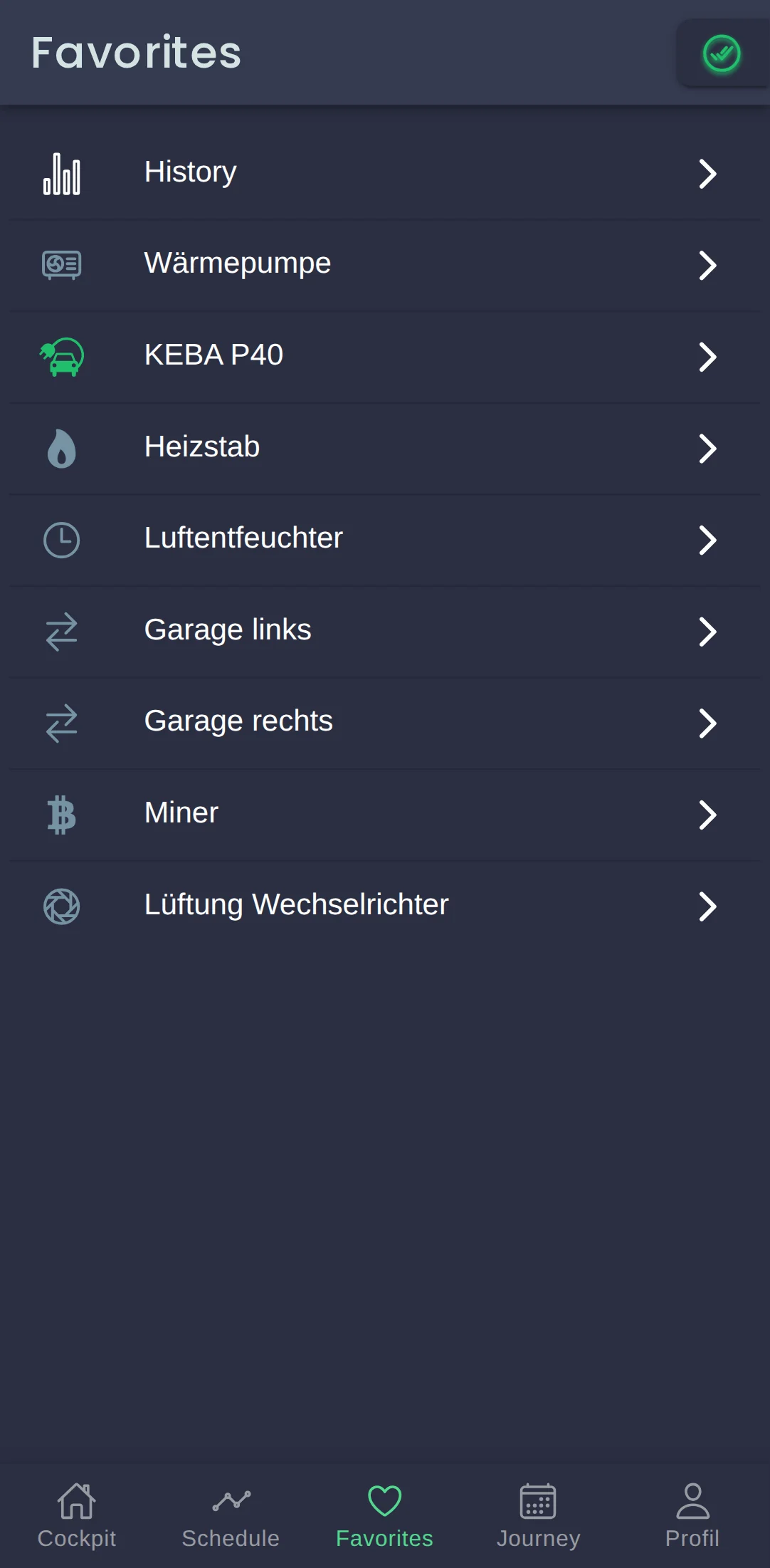
Your switchable devices are listed in the menu on the left under Cockpit → Consumption, each with the name your installer gave it, for example "Garage links" (garage left) in our example system. If you have several devices of the same kind, the menu may group them under one entry, such as Manual Relay Control.
Click the heart symbol at the top of a device's page to add it to your Favorites. On a smartphone you can then reach it with one tap from the bar at the bottom of the screen.
Manual Relay Control
Manual Relay Control is a switch with two positions. Your SOLIO does not switch anything by itself, but exactly as you choose.
| Mode | What happens |
|---|---|
| On | The device is switched on and stays on. |
| Off | The device is switched off and stays off. |

Click the device's name in the menu.
Under Mode, click On or Off.
A round button with a tick appears at the bottom of the page. Click it to save your choice, and the device switches. On a smartphone the button is at the bottom right.
At the top of the page, Current status shows whether the output is switched on right now. Under History you can see when the device was on.
Your SOLIO remembers the selected mode. Even after a restart or a power cut it switches the device back to the way you set it.
Push button, for example for a garage door
Many garage doors are operated with a push button: a short press and the door opens, closes or stops. Your SOLIO can do exactly that. Instead of switching on permanently, it sends a short pulse: the output switches on and switches itself off again after the Pulse duration.
In the menu you can recognise a push button by the icon with two arrows.
What it looks like
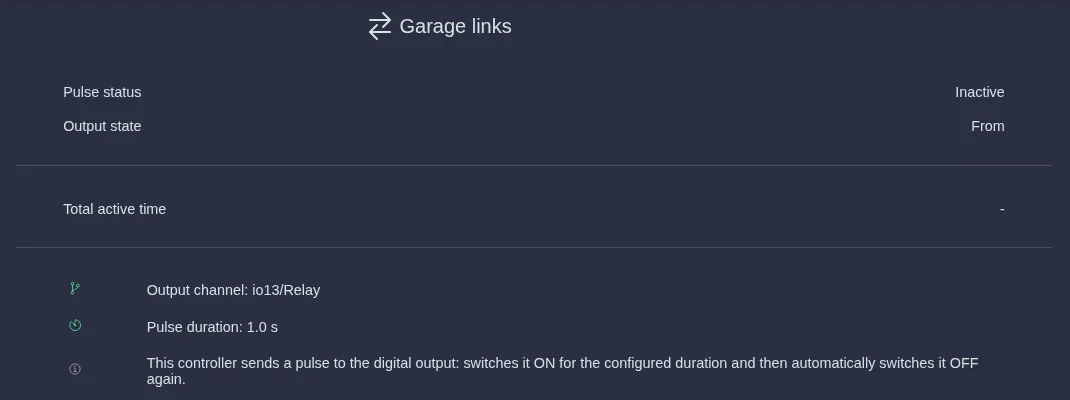
| Display | Meaning |
|---|---|
| Pulse status | Active while a pulse is running, otherwise Inactive. |
| Output state | Whether the output is currently switched on (On) or not (Off). |
| Total active time | How long the output has been switched on in total. |
| Pulse duration | How long a pulse lasts, for example 1.0 seconds. |
The Output channel line is technical information for your installer. It shows which connection the device is wired to.
Triggering a pulse
Expand the push button in the menu, for example Garage links, and click Settings.
Click the large round button in the middle. While the pulse is running, it says Active underneath.
After the pulse duration the output switches off by itself and Inactive is shown again. For the next pulse, simply click again.
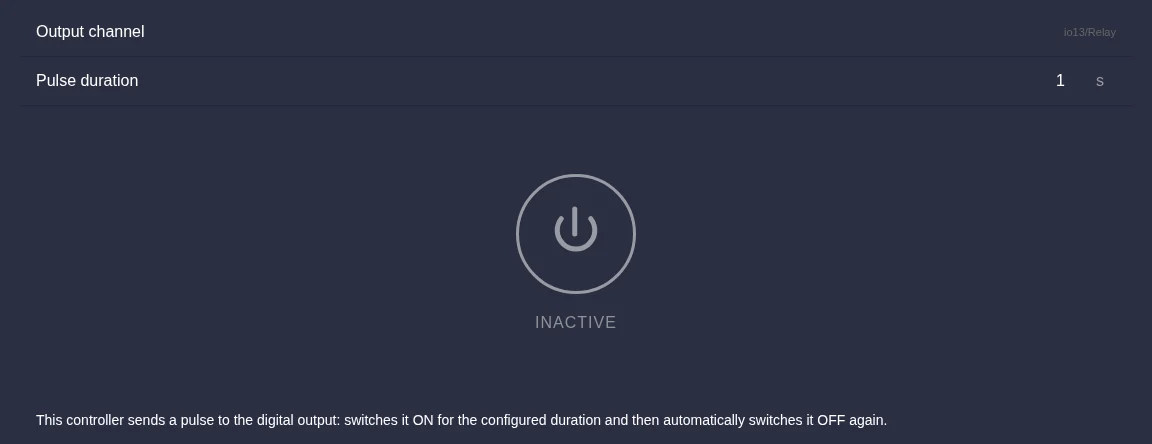
Changing the pulse duration: enter the time you want in seconds in the Pulse duration field, from 0.1 to 300 seconds. The change is saved straight away. While a pulse is running, the field cannot be changed. Your installer knows which duration your drive needs.
The portal only shows whether a pulse is running. It does not show whether the door is open or closed. Only trigger a door remotely if you are sure that nobody is standing in its way and nothing is blocking it.
Frequently asked questions
Does Manual Relay Control also switch automatically? No, it only switches when you change the mode. If a device should run at fixed times or depending on your solar power, use the Timer or Threshold Control.
Does it work without the internet? The control runs directly on your SOLIO. If the internet connection fails, your device stays in the state you set. At home you can still switch it by opening your SOLIO directly in your home network.
Who is allowed to make changes? To change the mode or the pulse duration you need the Owner role.
Which devices can I connect? That depends on the switching output, for example a relay board or a FRITZ!DECT smart plug. Your installer will check whether a device is suitable and how to connect it.
Only use Manual Relay Control and the push button for devices where unexpected switching on or off does not put anyone at risk.