Threshold Control
Threshold Control switches a device automatically as soon as a measured value rises above or falls below a limit. For example, the pool heater only runs when you are feeding plenty of solar power into the grid, or a fan only starts once your battery is almost full.
At a glance
- Three modes: On, Automatic and Off.
- In Automatic mode your SOLIO follows the State of charge, Generation, Grid feed-in or Mains supply (grid purchase).
- You set the Threshold value and whether the device switches on above or below it.
- The Minimum switching time stops the device from switching on and off with every passing cloud.
- The History shows when the device was running.
What it looks like
You will find Threshold Control in the menu on the left under Cockpit → Consumption, with the device's name, in our example "Lüftung Wechselrichter" (inverter ventilation). When you expand the entry, History and Settings appear. If you have several devices, the menu may group them under Threshold Control.

| Display | Meaning |
|---|---|
| Condition | Whether the device is currently On or Off. |
| Mode | The selected mode: On, Automatic or Off. |
| Depending on | The measured value your SOLIO switches by, for example Grid feed-in. |
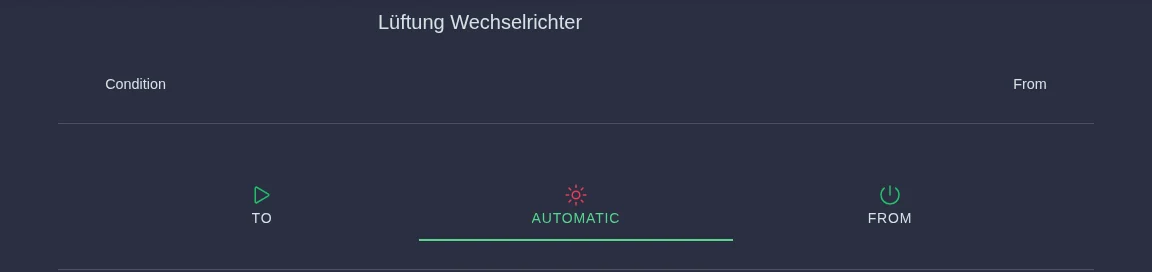
The three modes
| Mode | What happens |
|---|---|
| On | The device runs permanently, regardless of any measured values. |
| Automatic | Your SOLIO switches the device on and off according to your rules. |
| Off | The device stays off permanently. |
On and Off are handy when you want to bypass the automatic control for a while, for example to make sure the pool heater runs before a party. Remember to select Automatic again afterwards.
Setting up automatic mode
When you select Automatic, the switching rules appear below:
| Setting | Meaning |
|---|---|
| Depending on | What the switching is based on: the State of charge of your battery, the Generation of your PV system, Grid feed-in or Mains supply (grid purchase). |
| Switched load | Only for grid feed-in and grid purchase: the device's power in watts, for example 3000 W for a 3 kW heater. |
| Current value | The measured value right now, to help you find a suitable threshold. |
| Threshold value | The limit in watts, or in per cent for the state of charge (with a slider). |
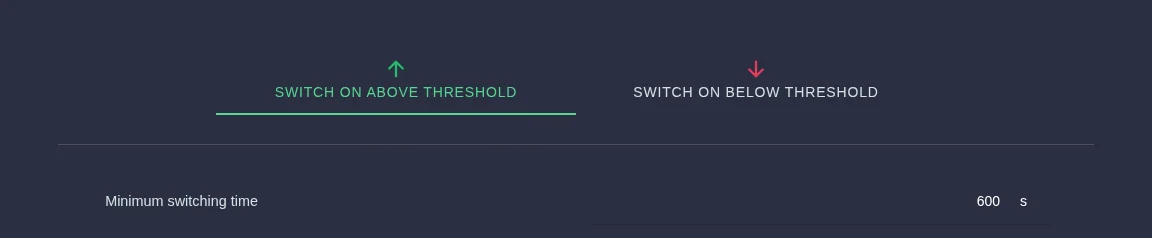
| Behavior | Switch on above threshold or Switch on below threshold. |
| Minimum switching time | The minimum number of seconds between two switching operations. |
Expand the device in the menu and click Settings.
Click Automatic. The rules appear below.
Under Depending on, choose the measured value and enter the Threshold value. For grid feed-in and grid purchase, also enter the Switched load.
Decide whether the device runs above or below the limit, and enter the Minimum switching time in seconds.
Click the round button with the tick at the bottom of the page (bottom right on a smartphone). Only then do the new settings take effect.
Why the switched load?
As soon as your heater switches on, it uses power itself, and your feed-in drops by exactly that amount. Without compensation, the feed-in would immediately fall below the limit and the heater would switch straight off again. That is why your SOLIO adds the Switched load back on while the device is running. For the same reason, choose a threshold value that is higher than the switched load.
Why the minimum switching time?
After each switching operation your SOLIO waits at least this long before switching again. It also looks at the average over this period rather than a single moment. A passing cloud therefore does not switch the device off straight away. This is gentle on devices that do not like being switched on and off constantly, such as pumps or heaters.
Your pool heater has 3 kW and should only run on your own solar power.
- Depending on: Grid feed-in
- Switched load: 3000 W
- Threshold value: 3500 W
- Behavior: Switch on above threshold
- Minimum switching time: 600 s
The heater switches on when you feed more than 3,500 W into the grid on average. It keeps running as long as more than 3,500 W would be left over without the heater, which keeps a small buffer before you start drawing from the grid.
More examples:
- State of charge, threshold 90 %, switch on above: a fan or a second heating element only runs once your battery is almost full.
- Generation, threshold 4000 W, switch on above: the garden pump only runs in strong sunshine.
- Several devices one after the other: each device gets its own Threshold Control, each with a higher threshold value. The devices then switch on in stages as the surplus grows. Your installer sets up the additional controls.
The history
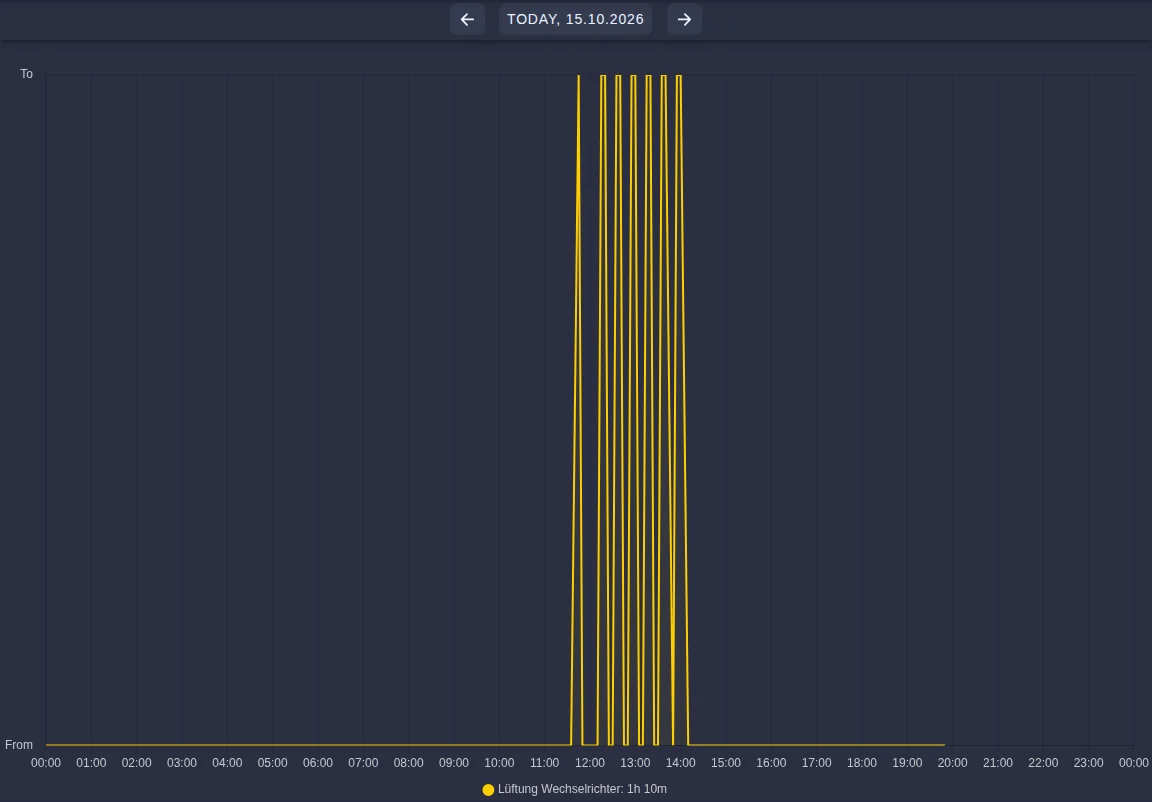
Under History you can see for each day when the device was on and when it was off. Below the chart it shows how long the device ran in total that day. Use the arrows at the top to change the day.
Frequently asked questions
Why does my device not switch straight away, even though the value is already above the limit? Your SOLIO waits for the Minimum switching time and works with the average over that period. With 600 seconds it can therefore take a few minutes before the device switches.
"Depending on" says "Other". What does that mean? Your installer has chosen a different measured value, for example a temperature. In the example above, the ventilation switches depending on the temperature of the inverter. Your installer changes settings like these. In this case the Depending on selection field stays empty.
I have no settings, only on or off and a history. In that case a fixed switching threshold has been set up for your system. The overview shows whether the device is running. Your installer can make changes.
Who is allowed to change the settings? You need the Owner role.
Which devices can I switch this way? Anything connected to a switching output of your SOLIO, for example on a relay board or a FRITZ!DECT smart plug. For fixed times use the Timer; for switching on and off with a click use Manual Relay Control.