Weather forecast
With the Weather app, your SOLIO knows the weather at your location for the next few days. From this it calculates how much electricity your PV system is expected to produce today and tomorrow. You see it at a glance in the cockpit, and other apps plan with it automatically.
The essentials
- At the top left of the cockpit you see the current weather, the hours of sunshine and the PV forecast for today and tomorrow.
- A click opens the detailed weather forecast with hourly and weekly forecasts.
- The PV forecast feeds into your SOLIO's schedule.
- Apps such as Dynamic electricity tariff, Grid-optimized charging and the Charging station use the forecast.
- The weather data comes via the internet, so your SOLIO needs an internet connection.
The Weather app is set up in the App Center, usually by your installer. The forecast applies to your system's location, which is stored in the system profile under Location.
Weather and PV forecast in the cockpit
A small area at the top left of the cockpit sums up the most important points:
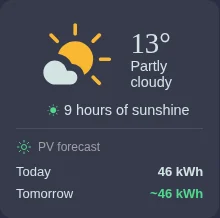
- Weather: The symbol, the current temperature and a short description, for example "Partly cloudy".
- Hours of sunshine: How many hours the sun is expected to shine today.
- PV forecast Today: How much electricity your system is expected to produce in total today. Where relevant, still to come below it shows the part that is still expected today.
- PV forecast Tomorrow: The expected production for tomorrow. A small arrow shows whether it will be more or less than today. If it says pending, the forecast for tomorrow is not complete yet.
The tilde (~) in front of a value means: this is an estimate.
The detailed weather forecast
A click on the weather in the cockpit or the menu item Cockpit → Weather opens the Weather forecast page. The location of your system is shown at the top.
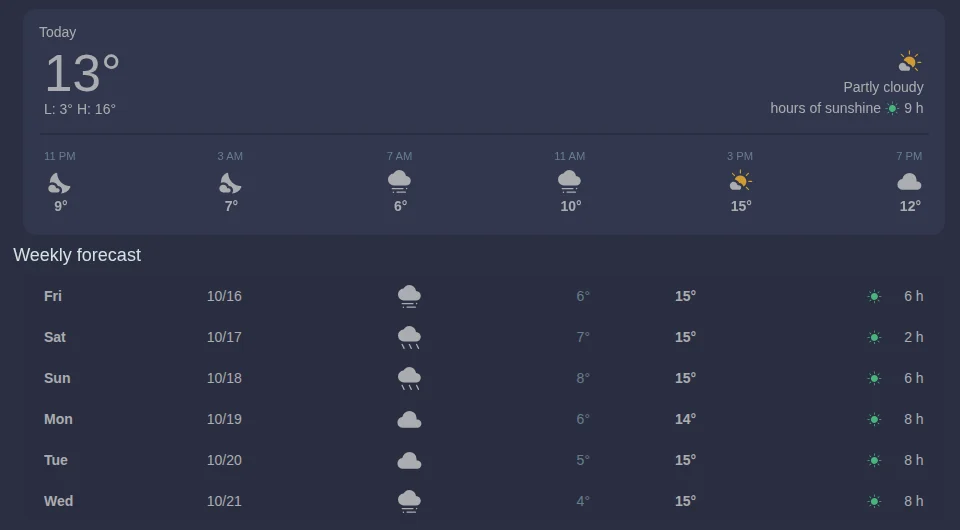
Today shows:
- the current temperature and below it L (low) and H (high) for the day,
- the weather in words and the hours of sunshine,
- a forecast for the next hours with symbol and temperature.
The Weekly forecast shows the weather, the lowest and highest temperature and the expected hours of sunshine for the following days.
Lots of sunshine means lots of your own electricity. On such days, run the washing machine or dishwasher or charge your car around midday. For the car, the PV Surplus charging mode of the charging station does this by itself.
What your SOLIO uses the forecast for
Your SOLIO continuously plans the next hours: how much will be produced, how much consumed, how full will the battery be? You see this plan in the schedule. The dashed lines are the forecast.
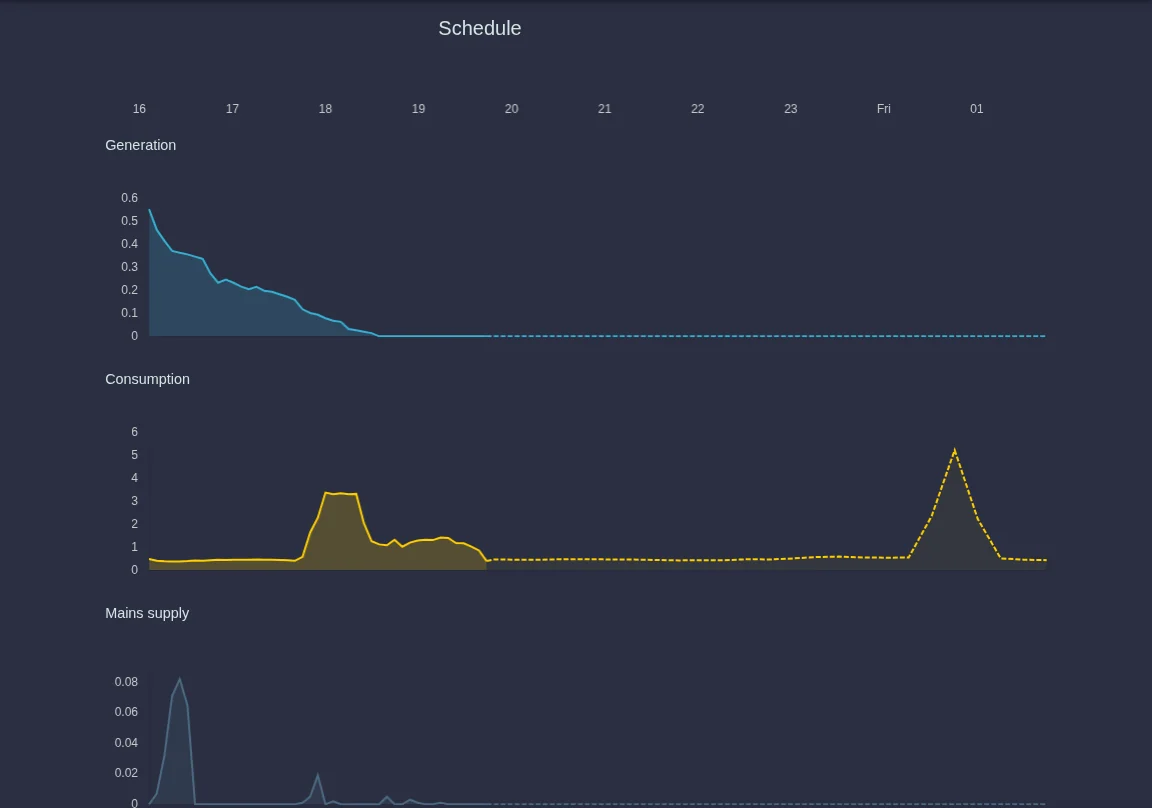
Several apps rely on this plan:
| App | What it needs the forecast for |
|---|---|
| Dynamic electricity tariff | If lots of sun is expected tomorrow, it is not worth charging the battery from the grid overnight. |
| Grid-optimized charging | It plans when the battery should charge so that it can absorb the midday sun and still become full. |
| Charging station | The charging station's forecast shows when your car is expected to be able to charge with solar power. |
Frequently asked questions
Why does the PV forecast differ from the actual production? A forecast is always an estimate. If clouds move differently than predicted or there is snow on the modules, your system produces more or less than expected. Your SOLIO keeps recalculating with the latest weather data.
Why does "Tomorrow" only say "pending"? The forecast for the whole of the next day is not complete yet. The value appears as soon as your SOLIO has planned the next day completely.
No weather data is shown. The page then says "No weather forecast available." Check whether your SOLIO is connected to the internet, for example in the system status. If the display stays empty, please contact your installer.
The place in the heading is wrong. The forecast uses the location from the system profile. If it is wrong, ask your installer to correct it.